
Review a priority service page
Follow the queries that describe the service and compare their search performance with the target page. Check whether the page answers the intent behind those queries.
Review Google Search Console performance, follow priority keywords, and check local pack visibility. Connect ranking changes to the pages and clicks that matter to your business.
3 focused sub-tools, one unified workflow.
Review reported queries, average position, impressions, clicks, and CTR from your connected Google Search Console property.
Add priority keywords to a watchlist and review their available ranking results over time.
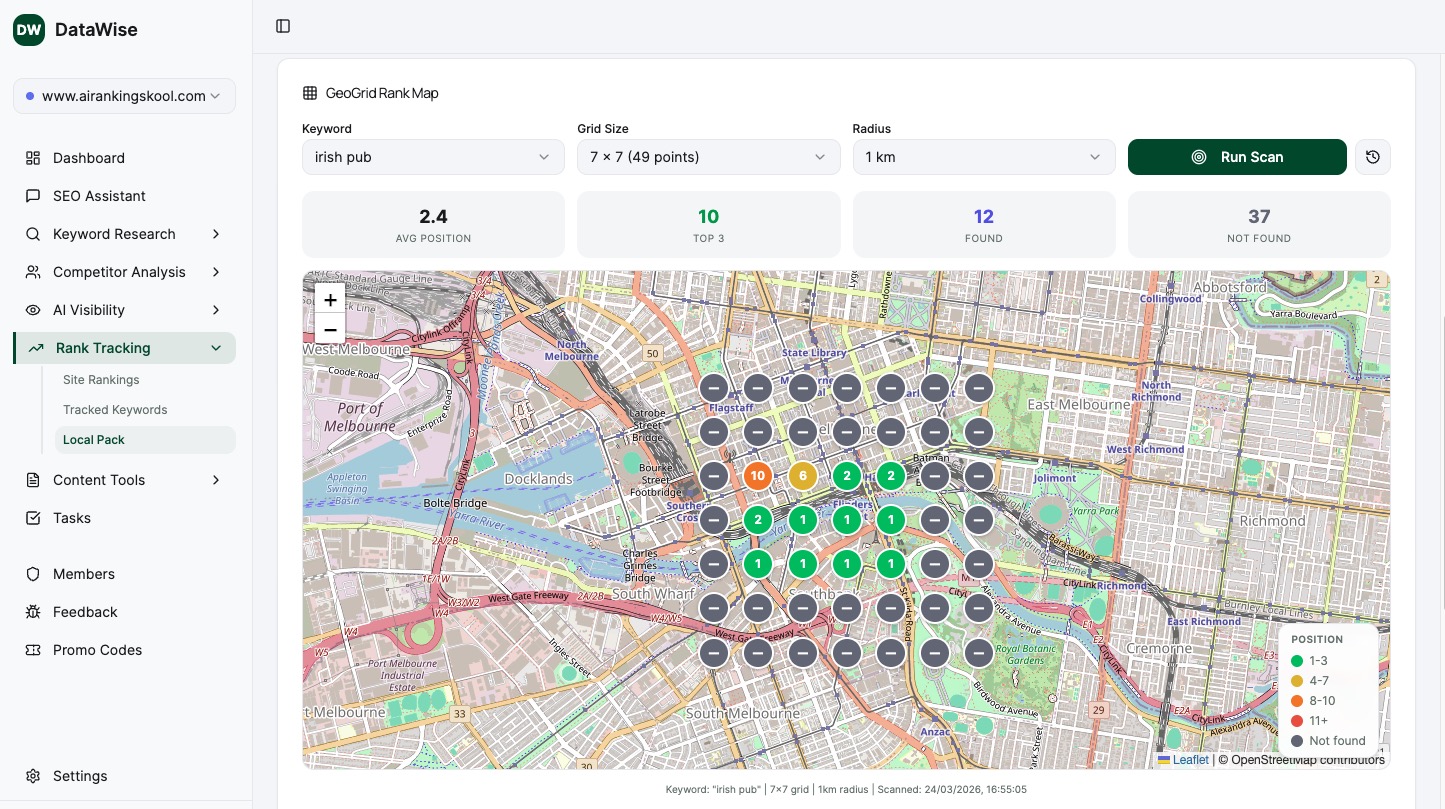
Check local pack visibility for the location-specific queries you want to investigate.
Connect the relevant Search Console property and choose priority queries. Record the target page and business reason for each keyword so your review stays focused.
Review available ranking history alongside clicks and impressions. Keep the date range and filters consistent, and check whether the newest data is complete.
Inspect the affected page and its search results. Document the change you make, then review a later comparison period without assuming that every ranking movement came from your edit.
These example workflows connect a ranking report to a decision. Start with a clear target page and keep the source, reporting period, and search context visible.
Follow the queries that describe the service and compare their search performance with the target page. Check whether the page answers the intent behind those queries.
Compare position, impressions, and CTR before deciding what to fix. Lower clicks can reflect several changes, so a position trend is only one part of the diagnosis.
Review relevant service-and-location searches. Keep the location and search conditions in mind when interpreting a local result.
Record the update date and compare complete periods before and after it. Look at clicks and relevant queries alongside position, then account for other changes.
Choose the priority queries and pages agreed with the client. Explain what changed, what remains uncertain, and the next action supported by the evidence.
Compare Search Console average position with the available tracked results. Different sources describe different search contexts and do not need to match exactly.
From solo creators to agency operators, every member gets the same unlimited access.
Maintain a focused keyword watchlist for a client's core services. Use the ranking history and Search Console performance to prepare a regular review of the pages that matter.
Agree on target pages and priority queries at kickoff. Review consistent reporting periods and explain changes in search performance without treating ranking movement as revenue on its own.
Check local pack visibility for relevant service-and-location searches. Review those results alongside the organic traffic reported for your site, keeping the two sources distinct.
Track the queries associated with a page you are updating. Document when it changes and review later search performance to decide whether further work is needed.
Practical guides to help you decide what to do with the data.
Learn how to do effective keyword research without enterprise tools. A step-by-step approach for small businesses and solo consultants.
Read the guide →A practical framework for running SEO competitor analysis: identifying real rivals, mapping keyword and content gaps, and turning competitor data into a 90-day action plan.
Read the guide →Connect Google Search Console and ask questions about your clicks, impressions, and pages....
Discover high-value keywords with difficulty scores, search volume, CPC data, and AI-gener...
Review referring domains, backlink trends, and anchor text in one place. Compare competito...
Everything you wanted to know before you start.
Every DataWise tool is included with your AI Ranking membership (from $27/mo). 7-day risk-free trial, no feature gates.