
Compare relevant referring domains
Find sites in the competitor gap, then check whether their readers are the customers you want to reach. A relevant audience matters more than a score on its own.
Review referring domains, backlink trends, and anchor text in one place. Compare competitor link profiles and build a shortlist of relevant opportunities for your next campaign.
Start with a practical task: follow the backlink gap workflow and download the free worksheet.
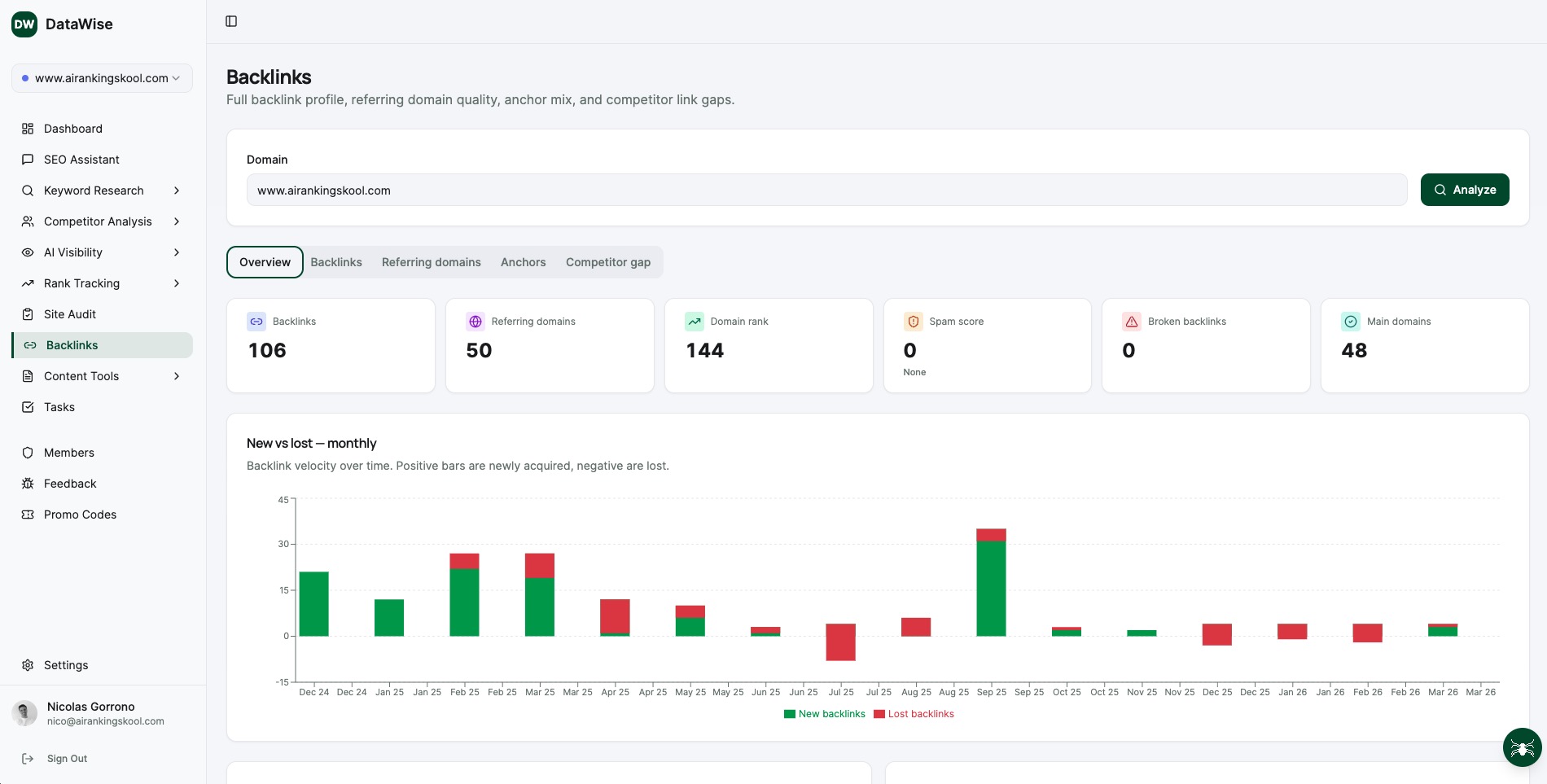
6 focused sub-tools, one unified workflow.
Start with a summary of backlinks, referring domains, and provider metrics for the domain you want to investigate.
See the websites represented in a domain's backlink profile and review the sources behind the totals.
Review the words used in links to a site. Use the distribution to identify patterns that deserve a closer look at the linking pages.
Compare your domain with competitors to find referring domains that appear in their profiles and are missing from yours.
Review reported gains and losses over time, then verify important changes on the source pages.
Investigate links to unavailable pages and check whether restoring useful content or redirecting to a relevant replacement would help visitors.
Enter the domain you want to review. Choose competitors that serve a similar audience, then compare their referring domains with your own.
Open promising referring pages and review their topic, audience, and reason for linking. Provider scores help organize research but do not replace this check.
Build a shortlist around a useful contribution: an original resource, expert commentary, a relevant partnership, or an update to a page already mentioning your topic.
Walk through DataWise's Backlink tool: the new-vs-lost overview, total backlinks versus referring domains, domain rank and spam score, individual backlinks and anchor text, the referring-domains view, and the Competitor Gap to compare your backlink profile against several competitors at once.
Move from a list of domains to a practical research plan. These example workflows help you decide which pages and opportunities deserve attention.
Find sites in the competitor gap, then check whether their readers are the customers you want to reach. A relevant audience matters more than a score on its own.
Confirm that the destination is unavailable. Restore the useful page or choose a closely related replacement when one exists, rather than redirecting everything to the homepage.
Visit the referring page and check what changed. The page may have moved, been rewritten, or become unavailable to the crawler; a reported loss needs context.
Look at the sentence and page containing a link. Avoid treating any fixed percentage of exact-match anchors as a universal threshold for a Google penalty.
Identify the resources competitors earn links to. Use that research to plan something useful and original for the same audience, with a clear reason for a publisher to reference it.
Use domain rank and spam scores as research inputs. Inspect actual links and Search Console messages before drawing conclusions about quality or corrective action.
From solo creators to agency operators, every member gets the same unlimited access.
For a new client, compare the referring-domain overview with the links to important service pages. Document sources worth reviewing and any broken destinations that need a closer check.
Choose a client's relevant competitors and review the link gap. Build a shortlist with the referring page, audience fit, useful contribution, and next research step for each prospect.
After a campaign, review newly discovered links and verify the source pages. Compare those findings with referral traffic and campaign dates before attributing results.
Pick a resource your business can create from firsthand knowledge. Use competitor backlink research to learn which publications cover the topic and what their readers need.
Practical guides to help you decide what to do with the data.
Find competitor backlink gaps, check the actual source pages, and build a useful shortlist with a free CSV worksheet for relevance, link context, and next actions.
Read the guide →A practical framework for running SEO competitor analysis: identifying real rivals, mapping keyword and content gaps, and turning competitor data into a 90-day action plan.
Read the guide →Benchmark against competitors with domain authority scores, ranked keywords, traffic estim...
Discover high-value keywords with difficulty scores, search volume, CPC data, and AI-gener...
Review Google Search Console performance, follow priority keywords, and check local pack v...
Everything you wanted to know before you start.
Every DataWise tool is included with your AI Ranking membership (from $27/mo). 7-day risk-free trial, no feature gates.